Gaming Boost
Closes known background apps only when they are running, then can open Power Options. PulseUCAIO does not switch the power plan itself, so Windows is not left on a plan you did not choose.
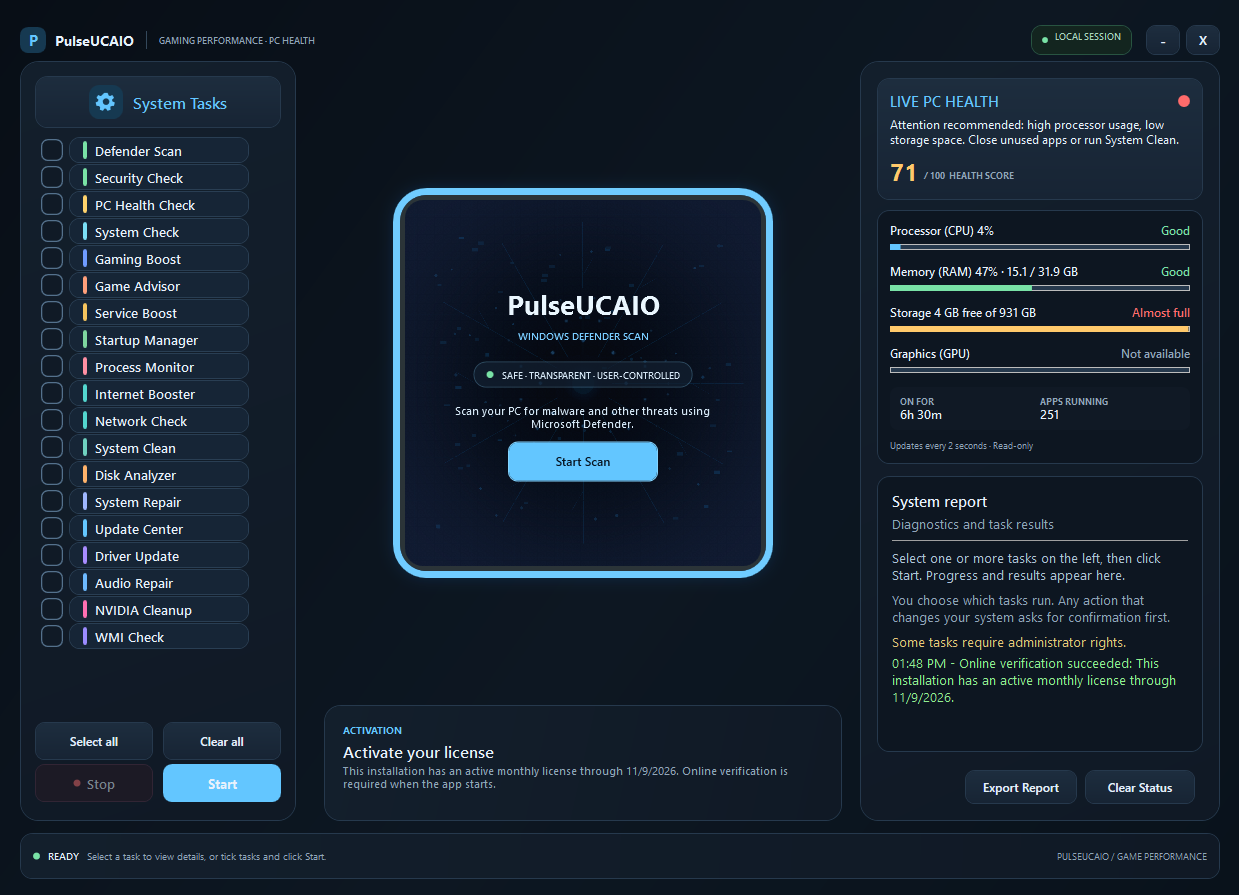
PulseUCAIO runs the Windows tools you choose: a Microsoft Defender quick scan, Windows Update, Device Manager, Startup Apps, and Task Manager, plus preview-first cleanup and PC health checks. It suggests a power plan and opens Power Options. It does not change the plan, install drivers, or promise an FPS gain.
PulseUCAIO focuses on visible, user-approved actions: Defender, Windows Update, driver status, startup apps, process monitoring, a power-plan suggestion, and cleanup that previews what it will remove before asking you to confirm.
Closes known background apps only when they are running, then can open Power Options. PulseUCAIO does not switch the power plan itself, so Windows is not left on a plan you did not choose.
Review storage, battery, startup, security, device health, TPM, Secure Boot, and recent system events without changing those settings.
Review eligible files in your own Temp folder before confirming deletion. Recent files, folders, Windows Temp, downloads, and browser data are left alone.
Pick the tasks you want, review what each one does, and run them when you are ready. Actions that change your system ask for confirmation first.
Download and run the single Setup executable. It installs PulseUCAIO for your Windows user, creates a Start Menu shortcut, and launches the app. Its dependencies are bundled inside Setup; you do not need to open a folder of DLL files.
Requires Windows 7 SP1 or later and .NET Framework 4.7.2. The in-app purchase page additionally requires Microsoft Edge WebView2 Evergreen Runtime. The free trial starts when you first open the app; a purchased key is bound to one installation.
Use PulseUCAIO free for seven days after first opening the app. When the trial ends, choose a plan and activate the key issued after your purchase is confirmed.
PayPal automatically delivers your license key to this page after payment is verified. If automatic delivery fails, email your receipt for manual key delivery. Cash App payments require manual confirmation and key delivery.
Choose a one-time access period. Each confirmed purchase issues a license key for one installation.
30-Day Access
$7.99
USD · 30 days · one-time
One payment for 30 days of access. Purchase again when you want to extend your access.
90-Day Access
$19.99
USD / 3 months · one-time
A prepaid term with one payment. No automatic renewal.
180-Day Access
$34.99
USD / 6 months · one-time
A longer prepaid term with one payment. No automatic renewal.
Lifetime License
$99
USD · one-time
A single payment for lifetime access. No recurring subscription.
Cash App payments are one-time and require manual payment confirmation before key delivery. Each key is bound to one installation.
All prices are in USD and are one-time payments; there is no automatic renewal. Each license key is bound to one installation. Cash App purchases require manual payment confirmation and key delivery. Access terms begin when the key is issued; lifetime access does not expire.